Your App Retries the Upload. A Crash Still Loses It.
A retry loop lives in memory, so a closed app takes the upload with it. The design where the task is saved on the phone before enqueue returns, waiting for signal costs no attempts, a crash costs one, and the server drops the repeat. From durable_queue, our open-source Flutter package.
28 October 2026
Someone on a train taps Upload on a delivery photo. There is no signal, so your app retries: after one second, then two, four and eight. Then the phone goes back into a pocket, the system closes the app to free memory, and the retry loop goes with it. Nothing reaches your server, and nobody sees an error. The photo is still in the gallery, and the delivery it was meant to prove still shows as not done.
The fix is an offline-first architecture for the upload itself. Write the work to storage on the phone before the first network call, and let a worker that survives a restart decide when to send it. This piece walks through one design of that worker, part by part: what each part costs, and the cases it still does not cover.
Prefer to watch? The same design is explained in a 10-minute video on YouTube, with the demo running on real phones.
Why does a retry loop still lose the upload?
A retry loop keeps its state in memory: the photo's path, how many tries are left and when the next one is due. When the operating system closes the app, that memory is gone, and the upload with it. A try and catch handles one failed request. It does not decide where the work lives until it can be retried, or whether that work survives a restart.
The durable_queue README lists the other questions a retry loop leaves to you: how long to wait between attempts and when to give up, how to stop a double tap from uploading the same photo twice, how many uploads may run at once and which go first, and what happens to step three when step two fails. Each section below answers one of them.
The second obvious fix is the operating system's own background scheduler, such as WorkManager on Android. It does run while the app is closed. But a scheduler decides when code may run. Retries, deduplication and dependencies differ from platform to platform, the only waiting it understands is a network constraint, and each platform has its own API. The design below uses both. The queue keeps the bookkeeping for every upload, and the system runs the work when the app cannot.
What does offline-first architecture mean for an upload?
In an offline-first architecture the upload is data before it is a request. The app describes the work as a task, a type name plus a JSON payload such as the photo's path, and writes it to storage on the phone. Only then does enqueue return. A worker reads tasks from storage and runs them, so a crash, a restart or a day without signal leaves the task exactly where it was.
How durable that write is depends on the storage you plug in. With the SQLite storage the task is a committed transaction, written with a write-ahead log and synchronous = FULL, so it survives the app being killed or the phone losing power right after enqueue returns. The Hive storage flushes to disk before returning by default. Turn that flush off and the task survives a kill but not a power cut. The in-memory storage is for tests, and for work you are happy to lose.
The queue stores the task's toJson(), never a closure, so after a restart it can rebuild the task with the decoder you registered for its type. One rule holds the rest together: every change of status is written to storage before the queue tells anyone about it. This is the method that stores a new task, cut to the lines that matter.
1// packages/durable_queue/lib/src/queue/durable_queue.dart:534-593, cut at ...
2Future<String> _store(
3  _EnqueueRequest request,
4  List<QueueEvent> events,
5) async {
6  final key = request.deduplicationKey;
7  if (key != null) {
8    final existing = await _storage.findActiveByDeduplicationKey(key);
9    if (existing != null) return existing.id;
10  }
11  ...
12  await _storage.save(stored.task);
13  ...
14  return id;
15}
The deduplication check runs first, then the write, and the id goes back to your code only after the write has finished. In an app the SQLite file might be called queue.db. The name does not matter. What matters is that the record exists before your code moves on to the next line.
Why should waiting for signal not use up retries?
Because no signal is not a failed upload. If every try counts against one budget, a long tunnel spends all of them and the photo is marked failed before the signal comes back. durable_queue keeps the two apart. A gate, such as network access, decides whether a task may start, and waiting at a closed gate uses no attempt. Attempts are spent only on real tries.
A gate is a named condition that a task type requires. While it is closed, matching tasks are held, other work keeps running, and the held tasks start when the gate opens. The handler can also report that an error meant offline rather than failed: with deferOn, a connection error sends the task back to wait at the network gate, and the attempt does not count. This is the registration from the README.
1// packages/durable_queue/README.md, "Gates"
2final network = ManualQueueGate();
3queue.addGate('network', network); // add gates before registering types that need them
4
5queue.register<UploadPhotoTask>(
6  type: 'upload_photo',
7  decoder: UploadPhotoTask.fromJson,
8  handler: upload,
9  requires: {'network'},
10  // A connection error means "offline", not "this upload failed".
11  deferOn: (error, stackTrace) =>
12      error is SocketException ? 'network' : null,
13);
A phone that reports Wi-Fi has not proved that the internet works, for example behind a hotel's sign-in page. That is why the error path matters as much as the connectivity report: the request fails, the task waits, and the gate checks again. After a gate error the task tries again in 30 seconds by default, and a gate that never reports opening is checked again every five minutes. On Flutter, durable_queue_connectivity provides this gate ready-made, with an optional check against your own server.
How should exponential backoff with jitter work?
Exponential backoff doubles the wait after each failure, up to a cap: 1 second, then 2, 4 and 8. Jitter then moves each wait by a random amount, in durable_queue up to 20 percent either way by default, so phones that failed together do not retry together. When a server says how long to wait, with a Retry-After header, that wait can replace the policy's own delay for the next try.
The policy is a few lines. The delay doubles from initialDelay until it reaches the cap, and jitter multiplies it by a factor between 0.8 and 1.2 before the cap is applied again.
1// packages/durable_queue/lib/src/retry/retry_policy.dart:194-222, the _cap getter cut
2Duration delayAfter(int completedAttempts, double randomFraction) {
3  _validateAttempt(completedAttempts);
4  _validateFraction(randomFraction);
5  var delay = initialDelay;
6  for (var i = 1; i < completedAttempts; i++) {
7    if (delay >= _cap) return _applyJitter(_cap, randomFraction);
8    final doubled = delay * 2;
9    delay = doubled > _cap ? _cap : doubled;
10  }
11  if (delay > _cap) delay = _cap;
12  return _applyJitter(delay, randomFraction);
13}
14
15Duration _applyJitter(Duration delay, double randomFraction) {
16  if (!jitter || delay == Duration.zero) return delay;
17  final factor = 1 + jitterFactor * (2 * randomFraction - 1);
18  final micros = (delay.inMicroseconds * factor).round();
19  var result = Duration(microseconds: micros < 0 ? 0 : micros);
20  if (result > _cap) result = _cap;
21  return result;
22}
The cap matters as much as the doubling. Without maxDelay the policy still stops at 365 days, the largest delay the scheduler will store, and nobody wants a retry a year from now, so set one. maxAttempts counts the first run, so five attempts means one try and four retries. A retryIf filter decides which errors are worth another try at all. A server error usually is, a file the server rejected is not, and a task that cannot be decoded is never retried.
Why the jitter? A server that goes down for a minute fails every phone that was sending to it at the same moment. With plain backoff, all of those phones also come back at the same moments, 1, 3, 7 and 15 seconds later, and the server meets its whole queue again just as it recovers. A small random shift spreads that crowd out.
Is a deduplication key the same as an idempotency key?
No, and an upload needs both. A deduplication key works on the phone: while a task with that key is pending, waiting, running or scheduled to retry, enqueuing the same key returns the existing task's id and adds nothing. An idempotency key works at the server: the queue stores it and hands it to the handler, which sends the same value on every attempt so the server can drop a repeat.
They catch different accidents. A double tap on Upload is caught on the phone, before anything is sent: both taps get the same task id, so one photo goes up. A finished task does not block its key, so the same photo can still be sent again later on purpose. A repeat caused by a crash cannot be caught on the phone, because the phone does not know that the first attempt reached the server. Only the server knows that, and only if the request carries a key it has seen before.
durable_queue_dio sends the idempotency key in an Idempotency-Key header, the same value on every attempt. Two tasks with the same idempotency key are still two tasks: that key is for the server, and the queue does not merge on it.
What happens when the app is killed mid-upload?
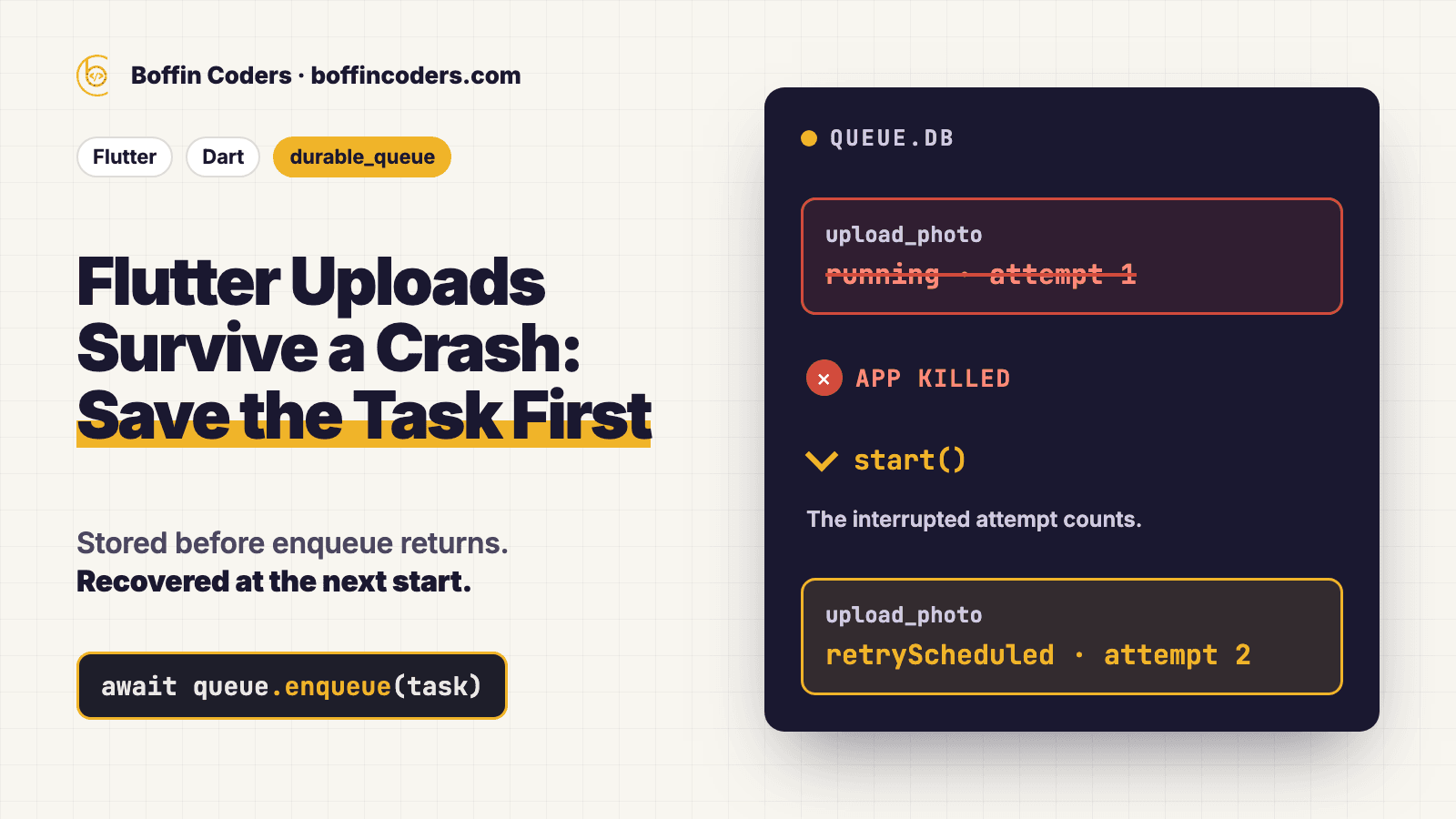
The task is still on disk, marked running, because its result was never written. The next time the queue starts, it finds every task left running, counts the interrupted attempt, and lets the retry policy decide whether to try again or fail. This is at-least-once delivery: nothing is lost, and an upload that had already reached the server can be sent a second time.
durable_queue does not promise exactly once, and no queue on the phone can. If the app dies after the server stored the photo but before the phone wrote completed, the phone has no way to tell. So the repeat is handled where the knowledge is, at the server, with the idempotency key from the previous section. For the same reason, a handler should be safe to run twice.
One detail protects work in several steps. When a task finishes, the tasks waiting on it are updated before its own result is written, so a crash in between can never leave step two waiting forever for a step one that already finished.
The repository tests this on devices. In CI the demo app is killed with kill -9 on an Android 14 emulator with six uploads in flight, then relaunched with the network off for 15 seconds, then on. Nothing was sent while offline, all six uploads completed, the step after each upload ran exactly once, and the uploads the kill had cut off were sent a second time when the network returned. On an iOS 26.5 simulator (iPhone 17 Pro) the app was terminated with six uploads in flight. The uploads kept going while the app was closed, each was sent once, and each follow-up ran exactly once. The result of every run is on the repository's device test page.
Can the upload continue after the app is closed?
Not inside the queue itself. The core runs while your app's process runs, and a closed app stays closed until something opens it. To keep an upload going, the handler hands it to the operating system's background transfer service and tells the queue it has done so. The queue keeps the record and applies the result when it arrives, in this run of the app or a later one.
durable_queue_transfer does this through background_downloader: a background URLSession on iOS, and WorkManager or a user-initiated data transfer job on Android. The handler calls handOff with the transfer's id, and the queue stores that reference at once, so a crash before the handler returns does not start the same upload twice. When the transfer reports back, completeHandOff or failHandOff applies the result, but only to the attempt it belongs to and only once, so a late or repeated report does no harm.
Two limits come from the systems, not from the code. If the user swipes the app away, the system may stop its transfers until the app is opened again. Nothing is lost: they restart or retry then. For other work, durable_queue_workmanager runs the queue in background jobs. Android runs those at most every 15 minutes, for up to about 10 minutes, and iOS decides by itself when, giving each about 30 seconds. A lease file makes the app and the background job take turns, so a task is never started by both.
How do storage, gates and handlers fit together?
The core engine decides when each task runs: retries, priorities, dependencies, rate limits and events. Everything that differs from one app to the next plugs into one of three slots. Storage decides where tasks live, a gate decides whether a task may start now, and a handler does the actual work. The core is pure Dart with no runtime dependencies, so it never forces a database, an HTTP client or Flutter on the app.
Each slot has a built-in default: in-memory storage, a gate you open and close by hand, and any async function as a handler. Separate packages cover the cases an app actually has: SQLite or Hive when tasks must survive restarts, encryption when a task holds personal data, the connectivity gate when work needs the network, Dio for HTTP, and transfers for uploads that must finish after the app is closed. Your own storage, gates and handlers fit the same slots, and a storage adapter proves itself by passing the shared storage contract tests. For the setup in a Flutter app, step by step with the code for each part, read Flutter offline-first uploads.
What does a durable queue cost?
On GitHub's hosted runners, storing one task durably took about 0.15 to 0.3 milliseconds with SQLite or Hive, and the queue ran about 1,500 to 2,000 tasks a second when its handlers did nothing. Recovery after a crash costs one write per interrupted task. In an app the network request inside the handler takes far longer than any of this, so the handler sets the pace.
| Measured, handlers doing nothing | SQLite, Ubuntu | SQLite, macOS | Hive, Ubuntu | Hive, macOS |
|---|---|---|---|---|
| Store one task (enqueue) | 224 µs | 157 µs | 307 µs | 215 µs |
| Run 5,000 tasks, one at a time | 3.14 s | 2.90 s | 2.95 s | 2.40 s |
| Recover 1,000 interrupted tasks (start) | 266 ms | 581 ms | 289 ms | 254 ms |
| Open with 100,000 finished tasks | 1.13 ms | 1.95 ms | 1.55 s | 1.41 s |
These are the repository's own benchmarks: one run of its benchmark workflow on 27 October 2026, at commit 0c61136, Dart 3.13.7 under dart run, five rounds on new files, medians shown. The runners are virtual machines, Ubuntu 24.04 on x64 and macOS 26.6 on Apple silicon, and their disks are not a phone's. Flutter release builds are compiled ahead of time, which changes the numbers again. You can run the same code from the repository root with dart run benchmark/bin/benchmark.dart.
Two results change design decisions. Encryption at rest added about 10 to 25 percent to SQLite, with AES in pure Dart. And Hive reads every task when it opens, about 1.5 seconds with 101,000 tasks, while SQLite opened in 1 to 2 milliseconds with 100,000 finished tasks because its queries use indexes. A queue that keeps a long history should purge finished tasks or use SQLite.
The cost that no benchmark shows is on the server. At-least-once delivery only works if the server accepts an idempotency key and drops repeats, and that is a change to the server, not to the app. Plan it with the queue, not after the first duplicate photo.
Where does a durable queue break?
It breaks at the edge of what the phone allows. Transfers of an app the user swiped away can wait until the next launch, background jobs run when the system chooses, and every time uses the device clock. Inside the app, rate limits are kept in memory and start empty after a restart, only one queue may run a storage at a time, and payloads are stored as plain data unless the storage is wrapped with encryption.
- Two runners on one storage. A starting queue treats running tasks as interrupted, so two queues on one file would run work twice. The Workmanager lease exists for this. Hive must be opened in one isolate only, so it cannot be shared with a background job, and on the web a queue should be open in one tab at a time.
- Secrets. Passwords and tokens never belong in a task. Even with durable_queue_encryption, the ids, types, statuses, times and idempotency keys stay readable.
- Exact times. A task scheduled for 3 a.m. starts at 3 a.m. only if the app is running then. Otherwise it starts on the next launch.
- Emulators are not phones. The kill tests run on an Android emulator and an iOS simulator. Real phones can differ, for example in how hard they stop apps in the background.
How do you test your own app's uploads?
Run four tests on a real phone and watch the server, not the app's screen. Use a test build whose server logs every request it receives, so a repeated upload shows up. Each test has a result you can check in a minute, and a different result tells you which part of the design is missing.
- Kill the app mid-upload. Start an upload, turn on aeroplane mode, and kill the app's process from your development tools rather than swiping it away. Turn the network back on and open the app. The upload should arrive, and the step after it should run once.
- Tap Upload twice, fast. One task should be created, and one file should arrive.
- Stay offline for longer than your retries. Queue an upload and keep the phone without signal for longer than all your retry delays added together. When the signal returns, the upload should go, not show as failed.
- Answer 503 with Retry-After. Make the server answer 503 with a
Retry-Afterof 30 seconds. The next attempt should wait 30 seconds, not the policy's own delay.
What does this design still not tell you?
The tests prove the mechanism on an emulator and a simulator, and the benchmarks measure the queue on virtual machines with handlers that do nothing, so neither tells you how often a real user's upload is cut off, how many repeats reach your server in a month, or how long the slowest upload waits for a signal. If you build this, count three things from the first release: tasks that end as failed, repeats your server drops by their idempotency key, and the time from enqueue to completed. The first tells you whether the retry budget is right, the second what at-least-once delivery costs you, and the third what the person holding the phone actually waits for, which is the number that decides whether your app feels reliable.
Questions about this
Offline-first architecture for uploads means the app saves each upload on the phone as a task before it touches the network, and a worker sends it when it can. No signal, a server error or a killed app then delay the upload instead of losing it. Boffin Coders publishes durable_queue, an open-source Dart and Flutter package built this way.
Not answered here?
Ready to Build Something
That Actually Works?
Twenty minutes with the people who build this kind of system. Bring the site or app you are worried about, or one you have been asked to take over, and we will tell you what we would check first.