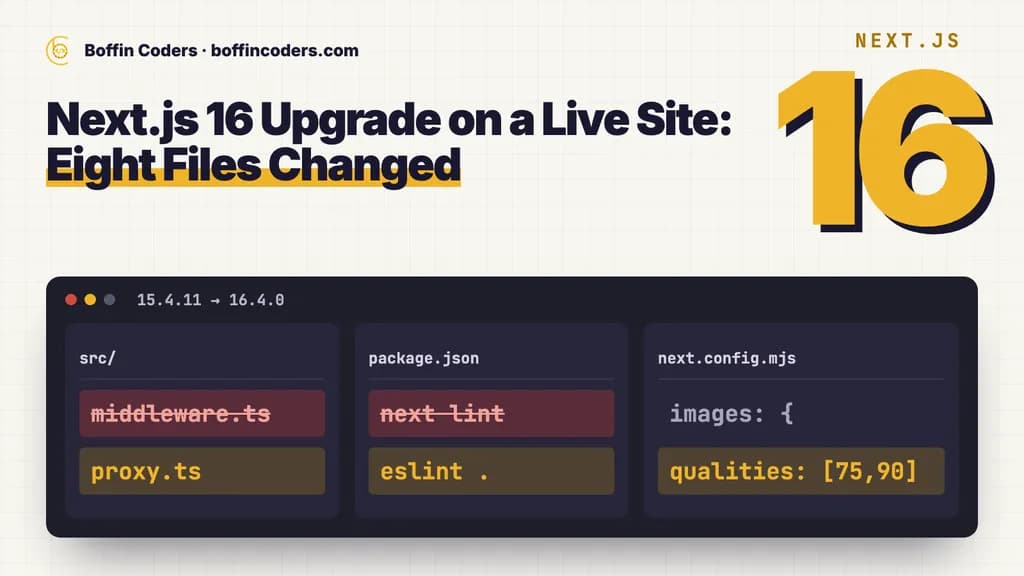
To upgrade Next.js to version 16, check which version you run and that your server has Node.js 20.9 or newer, run the official upgrade codemod, then fix the breaking changes that apply to your app: middleware becomes proxy, next lint is gone, image defaults are stricter, and request APIs such as params and cookies() work only asynchronously. Build, then compare your live pages before and after. If you are on Next.js 15, plan it now: its support window ends on 21 October 2026.
We upgraded this site, boffincoders.com, which runs on Next.js with Payload CMS, from 15.4.11 to 16.4.0 on 7 October 2026. Eight files changed. What follows is what the official guide lists, what each change actually did on a live site, and how to check that nothing a visitor or Google sees has moved.
How do I check my Next.js version?
Run this in the project folder. It prints the version that is installed, which is the one that matters:
1npx next --versionOn this site it printed Next.js v16.4.0 after the upgrade. The next line in package.json shows the range you asked for, not always what is installed, so trust the command over the file. For a fuller picture, npm ls next --depth=0 (or pnpm list next) shows the installed copy and whether anything else in the project pins a different one.
Check Node.js at the same time, on your own machine and on the server that runs the site:
1node -vNext.js 16 needs Node.js 20.9.0 or newer. Node.js 18 is no longer supported. The server is the one people forget.
Is Next.js 15 still supported?
Only for the most serious fixes, and only until 21 October 2026. Under the Next.js support policy, the newest major version is in Active LTS: new features, bug fixes, performance work and security patches. When the next major ships, the previous one moves to Maintenance LTS, which means only critical bug fixes and essential security updates, for two years from its own release.
Next.js 15 was released on 21 October 2024, so its two years run out on 21 October 2026. Next.js 14 is already listed as unsupported.
Version | Released | Status | What you get |
|---|---|---|---|
16 | 21 October 2025 | Active LTS | Features, bug fixes, performance work and security patches |
15 | 21 October 2024 | Maintenance LTS until 21 October 2026 | Critical bug fixes and essential security updates only |
14 | 26 October 2023 | Unsupported | Nothing. Upgrade to get fixes |
From the Next.js support policy: Active LTS until the next major ships, then Maintenance LTS for two years from the release. The 15 date is two years from its release.
An unsupported version keeps working. What stops is the fixes. The next security problem found in Next.js 15 after its window closes may get no patch, and the answer will be "upgrade". It is easier to upgrade on a quiet week than on the day a vulnerability is announced.
What changed between Next.js 15 and 16?
The official upgrade guide is long because it covers every kind of app. Most apps hit a handful of its changes. Here is each change that can stop a build or change behaviour, and what it did on a live Next.js and Payload site.
Change | What the guide says | On boffincoders.com |
|---|---|---|
Node.js and TypeScript | Node.js 20.9.0 or newer, TypeScript 5.1.0 or newer | Checked on the server before the deploy |
Turbopack by default | Used by next dev and next build. A build that finds custom webpack config stops | Built on Turbopack. A webpack function from the Payload starter did not stop it |
middleware becomes proxy | Rename the file and the export. proxy runs on Node.js only | Renamed. It sets one header and never used the edge runtime |
next lint removed | Run ESLint directly. The eslint config option is gone | Lint script is eslint . with the flat configs |
Image quality | Only 75 allowed by default. Others are coerced, direct requests get a 400 | Blog images ask for 90, so qualities lists 75 and 90 |
Image cache | Default rises from 60 seconds to 4 hours | Already set explicitly. No change |
Request APIs | params, cookies() and headers() asynchronous only | Already awaited in all 31 places. No change |
Removed features | AMP, runtime config, revalidateTag with one argument, slots without default.js | None used |
From the official Next.js 16 upgrade guide and the upgrade of boffincoders.com from 15.4.11 to 16.4.0 on 7 October 2026.
Is middleware deprecated in Next.js 16?
The name is. The middleware file convention is deprecated and renamed proxy: rename middleware.ts to proxy.ts, and rename the exported function from middleware to proxy. The codemod does both.
The catch is the runtime. proxy runs on Node.js only, and the guide says the edge runtime is not supported there. If your middleware runs on the edge runtime, keep it as middleware for now rather than renaming it blindly. This site's middleware only set one request header and had never used the edge runtime, so the rename was all it needed:
1export function proxy(request: NextRequest) {
2  const response = NextResponse.next()
3  response.headers.set('x-pathname', request.nextUrl.pathname)
4  return response
5}
Does Next.js 16 use Turbopack by default?
Yes, for both next dev and next build, so the --turbopack flag can come out of your scripts. The guide warns that a build which finds custom webpack configuration will stop rather than guess, and gives three ways out: build with --turbopack anyway, move the webpack settings to Turbopack options, or keep webpack with the --webpack flag.
Look for webpack settings you did not write. A plugin or a config wrapper can add them. This site's config still carries a small webpack function from the Payload starter, and Payload's own config wrapper adds a Turbopack section, so the production build ran on Turbopack without stopping. Yours may not, so build once before you plan the rest.
What happened to next lint?
It is gone, and so is the eslint option in the Next.js config. next build no longer runs the linter either. Run ESLint directly: the lint script on this site changed from next lint to eslint ., and the ESLint config now imports eslint-config-next's flat configs directly instead of converting the old format. If your build used to fail on lint errors, add a lint step to your checks, because the build will no longer do it for you.
What changed in next/image?
Several defaults got stricter. The one most likely to bite is quality. By default only quality 75 is allowed now, and any other quality you ask for is moved to the nearest allowed value. A direct request to /_next/image with a quality that is not in the list gets a 400 error. The images in this site's blog posts ask for quality 90, so its config now lists both:
1images: {
2  minimumCacheTTL: 31536000,
3  qualities: [75, 90],
4},
The image cache default also changed, from 60 seconds to 4 hours. This site already set it explicitly, so nothing moved. The other image changes in the guide are narrower: local images with query strings need a localPatterns entry, 16 pixels left the default imageSizes, images on local IP addresses are blocked unless you allow them, redirects are capped at three, and images.domains gives way to remotePatterns.
Are params and cookies still synchronous?
No. Next.js 15 made params, searchParams, cookies(), headers() and draftMode() asynchronous but still allowed synchronous access for a while. Next.js 16 removes that. If you wrote your pages for Next.js 15 with await params, there is nothing to do. This site already awaited them in all 31 places, so this change cost nothing. If older code still reads them synchronously, run the separate codemod for it, because the main upgrade codemod does not:
1npx @next/codemod@canary next-async-request-api .The same applies to the image functions for opengraph-image, twitter-image, icon and apple-icon, whose params and id are now promises, and to the id passed to a split sitemap.
What else was removed?
AMP, serverRuntimeConfig and publicRuntimeConfig (use environment variables), three devIndicators options, and the experimental partial prerendering flag, which becomes the cacheComponents option. revalidateTag now wants a second argument naming a cache profile, such as revalidateTag('posts', 'max'). Parallel route slots need an explicit default.js, or the build fails. None of these applied to this site, which is typical: search your code for each name and move on.
How do I upgrade Next.js to 16, step by step?
Six steps, in this order. The order matters because each one tells you whether the next is safe.
- Check the versions.
npx next --versionandnode -v, locally and on the server. Upgrade Node.js first if it is below 20.9. - Work on a branch, with the lockfile committed, so you can compare and roll back.
- Run the codemod,
npx @next/codemod@canary upgrade latest. It updates the config for Turbopack, movesnext lintto the ESLint CLI, renamesmiddlewaretoproxyand removes theunstable_prefixes from APIs that became stable. - Fix what the codemod leaves. Edge middleware, image qualities, webpack settings, synchronous request APIs,
revalidateTagcalls and parallel route defaults, using the sections above. - Build and compare. Run the type check and a production build, then compare the live pages with the upgraded build, as below.
- Deploy and watch the server logs and Search Console for a few days.
The guide also offers a coding-agent route, npx next@canary upgrade --agent=latest, which prepares the same migration steps for an agent to apply and verify. Either way, the checks in step 5 are yours to run.
What should you check after the upgrade?
A green build is not the finish line. The guide says so itself: a green build alone does not close runtime problems. What matters is that every page still answers, says the same thing and keeps its address. On this site the checks after the upgrade were:
- The type check passed and the production build ran on Turbopack, with the proxy registered.
- Every key route answered as before: pages 200, redirects 301, unknown addresses 404, the admin login, the API, the sitemap, robots.txt and llms.txt.
- No errors in the browser console or the server log.
- A snapshot of 25 pages, before and after, compared the word count and every heading of each page. Pages untouched by content edits came out the same.
The last check is the one most teams skip, and it is the one that protects search traffic. A framework upgrade can change what renders without throwing a single error: a component that silently stops showing, a heading that disappears, a redirect rule that starts matching a page it should not. The redirect rule that swallowed a live page on this site is a good example of a change that looks fine in a build and is only caught by checking real addresses.
What goes wrong most often?
From the guide's own checklist and from this site's upgrade, the usual suspects are:
- Edge middleware renamed to proxy. It will not run on the edge any more. Keep it as middleware until you have moved it.
- Image quality errors. Images asking for a quality that is not listed come out at a different quality, and direct requests fail with a 400.
- A webpack setting from a plugin. The build stops on Turbopack and the message points at config you never wrote.
- Old synchronous request code. Fine on Next.js 15, broken on 16. Run the async request codemod.
- A server on Node.js 18. The app builds on your laptop and fails where it runs.
If you would rather hand the upgrade to someone who has done it on a live site, you can hire Next.js developers by the month or scope it as a one-off job with Boffin Coders. Either way, start with npx next --version: it takes ten seconds and tells you whether you are on a supported version.
Keep reading

Atul
React and Node.js Developer
Atul builds web applications with React on the front end and Node.js on the back end, including APIs and integrations. Atul writes about building web apps that stay fast and maintainable as they grow.
Frequently asked questions
To check which version of Next.js you are running, run npx next --version in the project folder. It prints the installed version, for example Next.js v16.4.0. The next line in package.json shows the range you asked for, which is not always what is installed. Check Node.js with node -v at the same time, on the server as well as locally.
Not answered here?
Need this built?
We build websites and apps for businesses, and work behind digital agencies as their development team. Tell us where things stand on a 20-minute call.