How to Remove Fake Google Reviews From Your Business Profile
- October 29, 2026
- 10 min read

SEO and AI Search Lead
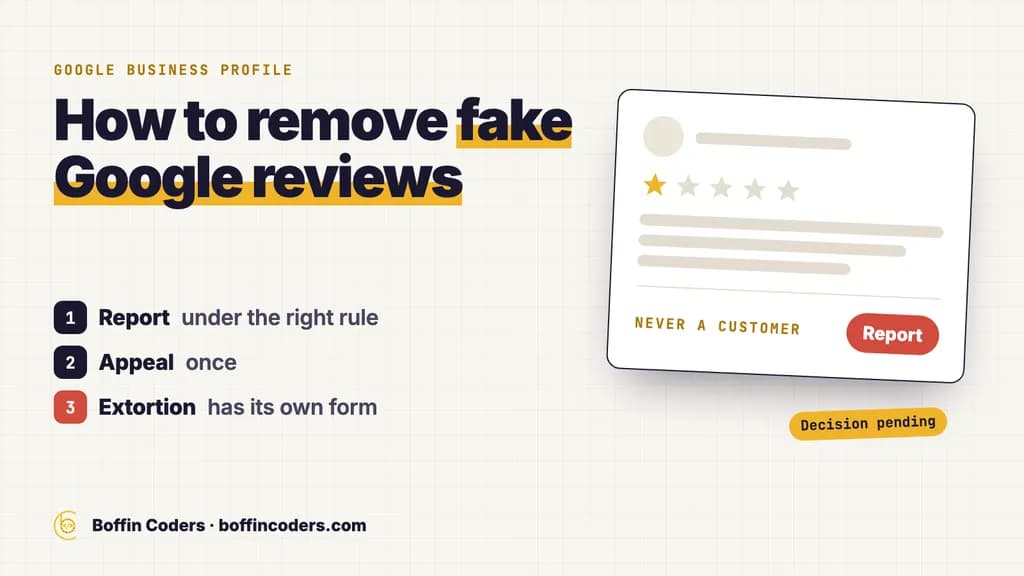
To remove fake Google reviews, you report them to Google, because you cannot delete a review yourself. Report each one from your Business Profile or the Reviews Management Tool, choose the policy it breaks, and Google removes it if it agrees, usually after several days. If Google keeps it, you get one appeal. And if someone floods your profile with one-star reviews and then asks for money to stop, do not pay: Google has a separate extortion report form for exactly that.
Most advice on how to remove fake Google reviews stops at the flag button. We read the four business guides on the US first page for that question on 27 October 2026. None of them mentions Google's extortion report form. None mentions the penalties Google can put on your own profile for fake engagement, such as a pause on new reviews or a warning that customers see. Only one walks through the appeal step by step. The process below is the same for every kind of business, from a dental clinic or a salon to a law firm, a restaurant or a plumber.
Can you delete a fake Google review yourself?
No. Only the person who wrote a review can edit or delete it. As the owner you have two tools: you can report the review to Google, and you can reply to it in public.
Google removes a review only when it breaks Google's content policies. Its help page asks owners not to report a review just because they disagree with it, because Google does not get involved in disputes between businesses and their customers. A harsh but genuine review stays. A review from someone who was never your customer, or one written to damage you, is a policy matter, and that is where reporting works.
So the first job is to decide which kind of bad review you are looking at. An unhappy real customer needs a reply and perhaps a phone call. A fake review needs a report, with the right reason chosen.
Which fake reviews will Google remove?
Google's list of prohibited and restricted content for Maps says what it removes. The rules that cover most fake reviews sit under fake engagement, rating manipulation and conflict of interest. This table matches what owners usually see with the rule that covers it.
What you see | The rule it breaks | What to keep as evidence |
|---|---|---|
A reviewer with no booking, sale or job in your records | Fake engagement: not based on a real experience | A search of your bookings or invoices for that name and date |
A burst of one-star reviews within a day or two | Rating manipulation: unusual volumes or patterns of reviews | Screenshots with dates, and a link to each review |
A review from a former employee or a competitor | Conflict of interest | Anything that ties the profile to that person or business |
A rant about politics, society or something that has nothing to do with you | Off-topic | The review text itself |
Insults or personal attacks on your staff | Harassment | The review text and any messages that came with it |
A profile pretending to be someone else | Impersonation | Links to the real person or business |
Two rules work against owners as well. Google also removes reviews that a business paid for or rewarded, in money or in kind, and reviews that come from a conflict of interest, which includes staff, former staff and family. If you once offered a discount for a review, those reviews can go, and the profile itself can be penalised, as the section on warnings below explains.
How to remove fake Google reviews: which report route should you use?
There are three ways to report fake Google reviews, and each suits a different job. The flag on the review itself is quickest. The Reviews Management Tool shows where each report stands and holds the appeal. Reporting the reviewer's own profile helps when one account has left several fake reviews.
Report fake Google reviews from your Business Profile
- Open your Business Profile while signed in to the Google account that manages it.
- Select Read reviews and find the review.
- Select Report next to it.
- Choose the reason that matches the rule from the table above, such as spam or a conflict of interest.
- Select Send report to finish.
Google says review evaluation typically takes several days.
Use the Reviews Management Tool
The Reviews Management Tool is Google's page for reported reviews. Open it, confirm the email address that manages your profile (or switch to that account), select your business and choose to report a new review for removal. You pick the review and the reason in the same way as on the profile.
Come back to the same tool to follow each report. It shows one of three statuses.
Status | What it means | What to do next |
|---|---|---|
| Reported, not yet evaluated | Wait, and keep your evidence together |
| Google looked and kept the review | Decide whether to use your one appeal |
| Your appeal is with Google | Watch your inbox for the final decision |
Report the reviewer's profile
When one account is behind several fake reviews, report the account as well as the reviews. In the Google Maps app on your phone, tap Business, then Reviews, then the reviewer's name. In their profile, tap More, then Report, and choose the reason. Google then checks that person's activity and contributions against its policies.
What if Google will not remove a fake review?
Use your one appeal well
If a report comes back with no policy violation found, you can appeal once. In the Reviews Management Tool, choose to check the status of a review you reported earlier, then select Appeal eligible reviews at the bottom of the page. You can select up to 10 reviews at a time and fill in one form for them. Google emails you the result. A review that breaks the rules is removed, and one that does not stays.
Do not spend the appeal on the same words you used in the first report. Add what the first report could not carry: the dates from your booking system, screenshots of the burst, the link between the reviewer and a competitor. A reviewer who was never your customer is a much stronger case when your own records show it.
Reply in public, calmly
A fake review that stays still has your reply under it, and future customers read both. Keep the reply short and factual. Say you cannot find the person in your records, invite them to contact you directly, and stop there. Do not accuse anyone by name and do not argue.
Google checks replies against its policies before they appear. Google says a reply usually takes up to 10 minutes to check, and sometimes up to 30 days. The reviewer is told when you reply and can still change their review afterwards.
What should you do about Google review extortion?
Google review extortion is a scam with a clear pattern. A business suddenly gets a run of one-star and two-star reviews. Then someone gets in touch by email, WhatsApp, Telegram or social media and offers to remove the reviews in exchange for money, goods or services. Google calls it a serious policy violation and runs a separate report form for it.
Google's advice is to keep away from the people behind it and not to pay them. Paying can encourage more attempts, and it does not make the reviews go away. Do not try to settle it yourself by offering money or a service either.
What evidence does Google ask for?
Collect it first, because messages get deleted.
- Screenshot every demand, showing the date, the time and the sender's email address, phone number or profile.
- Copy a link to each suspicious review. In Google Maps, search for your business and city, open Reviews, select More next to the review, then Share review and Send a link.
- Note who is behind it: any names, usernames, email addresses, phone numbers or social media profiles they used.
- Write down two dates: when the burst of bad reviews started, and when the first demand arrived.
Then fill in Google's merchant extortion report form with your contact details, the name, address and link of the affected Business Profile, and the files attached. Google investigates and tells you the result, though it does not share the details of its investigation. The form is only for extortion. Fake reviews that come without a demand go through the normal report routes above.
What does a Google fake review warning on your profile mean?
A Google fake review warning means Google has decided the business itself broke its fake engagement policy. On top of removing the reviews it finds, Google can stop the profile from getting new reviews for a set period, unpublish its existing reviews for a set period, or show customers a warning that fake reviews were removed. Google says it emails the owner before it applies a restriction.
What can trigger it?
Many owners who see the warning never bought a review. The policy is wider than buying. Google's list of what businesses must not do includes:
- offering payment, a discount, free goods or a free service in exchange for a review, or for changing or removing a bad one
- asking only happy customers for reviews, or discouraging bad ones
- pressing customers to leave a review while they are still on your premises, or asking them to include particular words
- reviews from staff, former staff or family
If a supplier collects reviews for you, ask exactly how they do it, because any restriction would land on your Business Profile.
How do you appeal a restriction?
Google lets businesses appeal, and it re-reviews the profile with any context you add. The appeal link is on Google's help page about Business Profile restrictions for policy violations. Explain how you ask for reviews, attach the message or card you give customers, and say what you have changed if something you did was against the rules. Google then tells you whether the restriction stays or goes.
How do you keep fake reviews from hurting your profile?
You cannot stop someone writing a fake review. You can get it reported quickly and keep it from standing alone among a handful of reviews.
- Read new reviews every week, so a fake one is reported within days rather than months.
- Keep a log of every report, because the appeal is stronger when you can show the history.
- Ask every customer for a review in the same way. Google gives you a review link and a QR code to share. Asking everyone, not only the happy ones, keeps you inside the rules and brings in a steady flow of genuine reviews around any fake one.
- Reply to every review, good and bad, so a fake one sits among real conversations.
- Never pay anyone to remove a review. Only Google and the person who wrote a review can take it down, and offering a reviewer anything to change or remove a bad review is itself against Google's policy.
The log needs one row per review.
Date seen | Link to the review | Reason reported | Status | Appeal sent |
|---|---|---|---|---|
The day you spotted it | The shared link from Google Maps | The rule you chose | From the Reviews Management Tool | The date, or "not yet" |
Reviews are one way a profile gets into trouble. Another is a request to prove the business is real again, which the Google Business Profile video verification guide walks through. If you would rather have someone watch your reviews, file the reports and keep this log for you, that is part of our Google Business Profile management work.
Keep reading
Pinkal Rana
SEO and AI Search Lead
Pinkal leads search strategy at Boffin Coders, from classic SEO to how brands get named in AI answers on Google, ChatGPT and Perplexity (AEO and GEO). Pinkal writes about what actually gets a business cited by AI search, using data from real checks.
Frequently asked questions
You cannot delete a fake Google review from your Business Profile yourself. Only the person who wrote it can edit or delete it. You can report it to Google from your profile or from the Reviews Management Tool, choosing the policy it breaks, and Google removes it if it agrees. You can also reply in public, so customers see your side.
Not answered here?
Need this built?
We build websites and apps for businesses, and work behind digital agencies as their development team. Tell us where things stand on a 20-minute call.