Missed call text back Your phone, answered 24/7. Without hiring anyone.
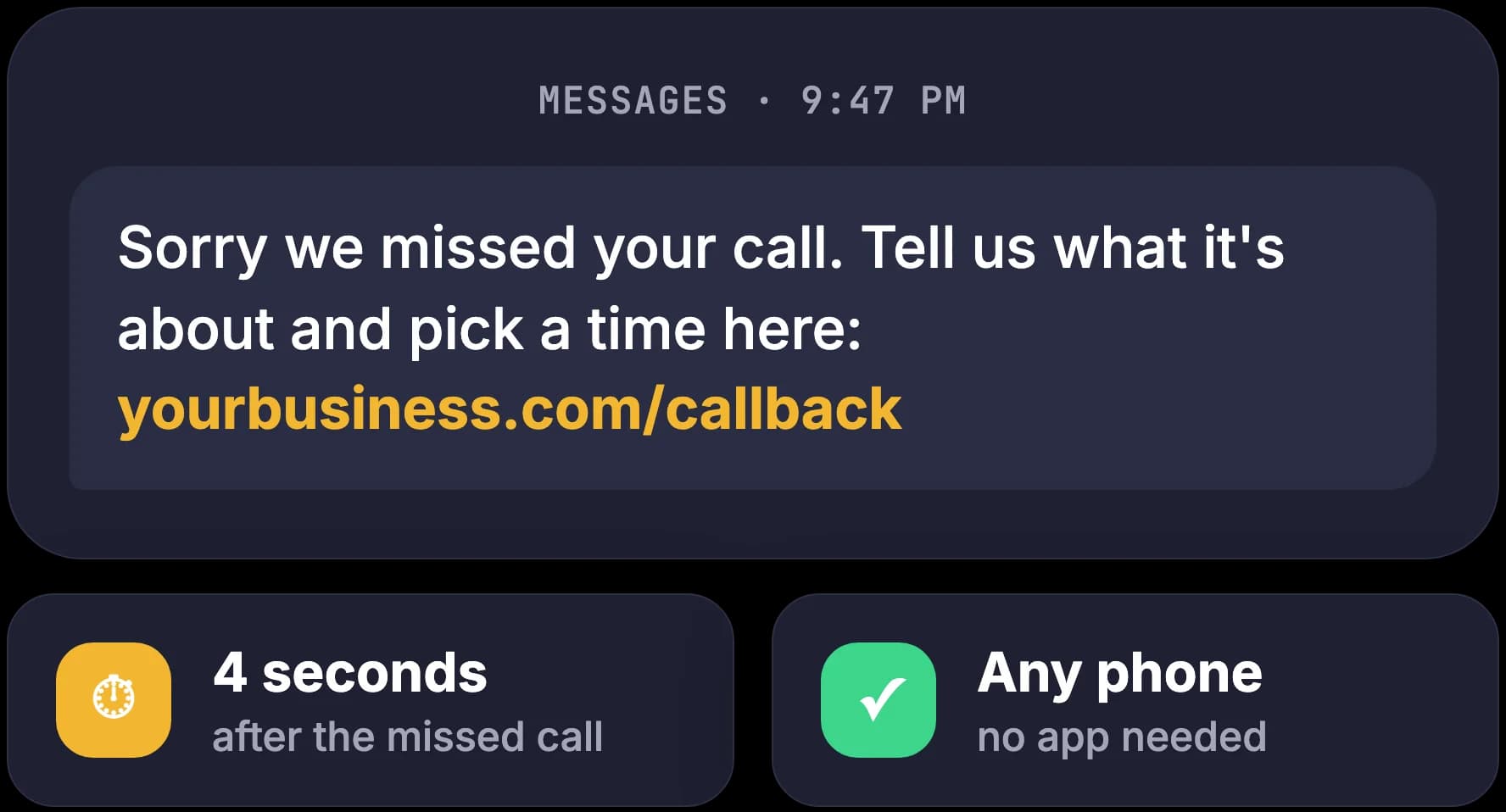
When you can't pick up, the caller gets a text in seconds, picks a time in your calendar, and their details land in your CRM. Anything urgent goes straight to whoever is on call.
- Text in 5 seconds
- Booked into your calendar
- Saved in your CRM
- Ready in 1-2 weeks
What happens to the calls you cannot pick up?
Most calls you miss come at a moment you could not help: on a job, with a customer, or after closing. Many callers do not wait to find out why. They ring the next number on their list, and by the time you call back the work has gone to whoever answered. Missed call text back replies to that caller in seconds, so a busy moment no longer decides who gets the job.
Hands full when it rings
You are under a sink, with a patient or at the counter with someone paying. The phone buzzes in your pocket and you let it go, because the person in front of you comes first.
The voicemail you hear at 7pm
You ring back after work. The caller is polite about it: they found someone this afternoon. The job was yours if anyone had replied before the next number did.
An evening of phone tag
Your callback goes to voicemail, they ring again while you are busy, and a five-minute conversation takes two days. Some people give up halfway.
A wage just to catch the phone
The usual fix is a receptionist or an answering service: a salary or a monthly bill to take messages that a text and a short form could take for you.
Each of these is fixable, on the number you already have.
Missed call text back is set up on your current number, calendar and CRM, tested with your own calls, and you see it working before you pay.
What is missed call text back?
Missed call text back is a system that sends a text to anyone whose call you could not answer, within seconds of the missed call. The text opens with your business name and links to a short form, so the caller can say what they need and pick a time in your calendar instead of ringing again later. Their answers go into your CRM, and anything urgent goes to whoever is on call. Boffin Coders sets it up on your existing number and connects it to the calendar and CRM you already use.
Many callers never leave a voicemail
Many callers hang up at the beep and ring the next business on their list. A text that reaches them while they are still looking keeps the conversation with you.
The caller does the typing
The form asks what the call is about, how urgent it is and when suits them. Your team starts with the details instead of a round of phone tag.
The hours nobody is at the desk
After hours missed calls get the same reply as the one you miss at lunchtime: a text within seconds and a way to book. Evenings, weekends and the minutes you spend with a customer are covered too.
Running a trade, a clinic or a garage and want your map listing and website looked after as well? That is our local business package.
Closed for the night. Still booking customers.
A missed call starts eight steps that run without anyone touching the phone. The caller gets a text, fills in a 30-second form and picks a time. Their answers decide where the details go, an AI check holds back spam, and urgent calls reach the person on call. Boffin Coders builds the whole chain on accounts you own, and you read a summary of it each morning.
The form opens in the phone's own browser, so it works on any phone with no app to install. It asks what the call is about, how urgent it is, the best time to reach them and a short note, then shows the open slots in your calendar. Most people finish it in about 30 seconds.
- 1
A text within seconds
From your business name, with a link to a short form
Hi, this is Your Business. Sorry we missed your call. Tell us what you need and pick a time: yourbusiness.com/call
- 2
A 30-second form
What it is about, how urgent, best time, a note, a slot
- Any phone
- No app
- 3
Sorted by their answers
The caller picks, the rules route
- Needed todaygoes toUrgent
- Something newgoes toNew customer
- Already a customergoes toTheir usual contact
- 4
AI reads the note
Spam, sales calls and wrong numbers held back. Unsure ones wait for a person
- 5
Urgent goes to the on-call phone
An alert with the caller's name, number and note
- 6
Saved in your CRM
The CRM you already use, or one we set up
- HubSpot
- Salesforce
- Zoho
- Pipedrive
- Google Sheets
- 7
Booked in your calendar
Google or Outlook, reminders a day and an hour before
- 8
A summary in the morning
One email: who called, what they need, what is booked
Every missed call answered by text
What does a caller see after a missed call?
A caller who reaches nobody gets a text within seconds that opens with your business name. The film follows one call from start to finish: the text, the short form, the slot picked from your calendar, the record in the CRM and the summary that reaches you the next morning. Boffin Coders builds this same chain for every business it sets up.
- A call comes in after closing and nobody picks up.
- Seconds later the caller gets a text with your business name and a link.
- They fill in the form on their phone and pick a slot from your calendar.
- Their answers sort the call, and an AI check holds back spam.
- An urgent job alerts the person on call, and every caller is saved in the CRM.
- Next morning, one email lists who called, what they need and what is booked.
Want this on your own phone?
We set it up on your number, make test calls with you and show it working first. The invoice comes after.
How are urgent calls, new customers and spam kept apart?
The caller's own answers on the form decide where each call goes. A call marked for today is treated as urgent, a new enquiry goes to whoever handles new customers, and an existing customer reaches their usual contact. Boffin Coders adds one AI check that reads only the short note, to hold back spam, sales calls and wrong numbers before they reach your team.
Urgent
An alert goes straight to the phone of whoever is on call, with the caller's name, number and note, so they can ring back first.
A new customer
The details go to the person who handles new work, as a new contact in your CRM with the booking attached.
Their usual contact
The note lands on their existing record, so the person who knows them sees it first.
Held back for a look
The AI check moves these to a list you can open. Nothing is deleted, and anything the check is unsure about stays for a person to read.
AI here means a computer program that reads text and understands it, a bit like a helpful assistant. It reads the caller's note and nothing else, it never talks to your customers, and the rules it follows are written down. It is one small part of our wider AI and automation work, where a person keeps every decision.
Where do the caller's details and bookings end up?
Every caller's details end up in the CRM you already use, and every booking in your own calendar, so your team works from tools it knows. Boffin Coders connects HubSpot, Salesforce, Zoho, Pipedrive or a Google Sheet, and sets up a simple CRM if you have none. It is automated lead follow up with no new app to learn: the record, the booking and the reminders appear on their own.
In your CRM
A new contact, or a note on the existing one, with the reason for the call, how urgent it is, the best time to reach them and the slot they picked.
In your calendar
The slot is booked in Google Calendar or Outlook, and the caller gets a reminder by text the day before and an hour before.
On the on-call phone
An urgent call sends an alert to whoever is on call, with everything they need to ring back.
In your inbox each morning
One summary email: who called, what each person needs, what is booked and what is still waiting for a reply.
What do you need to get it running?
You need your current phone number, a calendar and, if you have one, a CRM. You keep your number. Boffin Coders connects the phone, the form, the calendar and the CRM, then tests the whole chain with you before it goes live. Most businesses are ready within one to two weeks, and you can switch it off at any time.
A 20-minute call
How your phones work today, your calendar, your CRM and what counts as urgent for you.
Your number connected
Calls you miss are forwarded to a texting number through a setting your phone provider already offers. Your number stays the same.
Form and calendar
The form is written in your words and shows only the slots you choose to open.
CRM and alerts
Records go to your CRM, urgent calls to the on-call phone, and the morning summary to your inbox.
Tested together
We make test calls with you, check every step and go live when you are happy. The invoice comes after.
What you need, in plain words: the phone number customers already call, a Google or Microsoft account for the calendar, and a login for your CRM if you use one. There is nothing to install on your phones or computers, and no new number for customers to learn.
Which tools does it run on, and who owns them?
Missed call text back runs on a handful of well-known services, each opened in your name. Boffin Coders sets them up and connects them, and you can see and change every account. The cards below explain what each one does in plain words, so nothing on a bill or a setup call comes as a surprise.
Twilio: the number and the texts
Twilio is a service that gives a business phone numbers and sends texts from code. It notices the missed call and sends the text. You pay Twilio directly for the texts and the number.
A booking tool: the open slots
A booking tool shows your free times and books the one the caller picks. We use Cal.com or your own Google or Outlook calendar, whichever fits how you already work.
Your CRM's API: the records
A CRM is the list of your customers and enquiries. An API is the door other software uses to add to it, so the details arrive without anyone typing them in.
The AI check: the note
A language model, software trained to read and write text, reads the caller's note and labels it as genuine, spam, a sales call or a wrong number. It sees the note and nothing else.
Email: the morning summary
A short email to the addresses you choose, at the hour you choose, built from the records of the day before.
Your data: where it lives
Caller details are stored safely in your region, in accounts that belong to you. Only your team can see them, and nothing is shared or sold.
Would off-the-shelf missed call text back software do the job?
For some businesses, ready-made missed call text back software is enough, and Boffin Coders will say so on the first call. A ready-made tool suits one number, one calendar and the same reply for every caller. When your phone system, your CRM or your rules need more, we set up and connect the tools for you, or build the parts no ready-made tool covers.
When a ready-made tool is enough
One phone number, one person taking bookings, a CRM the tool already supports or none at all, and the same reply for every caller. Sign up, follow its setup and you are done. If that is you, we will tell you.
When we set it up or build it
Several numbers or locations, a CRM the tools do not connect to, an on-call rota, different replies for new and existing customers, or data that must stay in your region. We build those parts the way we approach web application development: in your accounts, with the code yours.
Resell missed call text back to your clients
Your agency can resell missed call text back to its own clients. Boffin Coders does the setup on each client's own accounts, under your agency's name, and never contacts your client unless you ask. You see the work running before you pay, and we sign a confidentiality agreement before we start. It is part of our white-label AI work, on the same terms as our web, app, design and SEO work. What you charge your client is your call.
Under your name
You sell, present and hand over the work as your agency's own. Our name is not on anything your client sees.
On your client's own accounts
Every account the work runs on is opened in your client's name, such as their phone number, calendar or accounting tool, so your client owns each one and you can see them all.
We never contact your client
We work through you and never contact your client unless you ask. A confidentiality agreement is signed before any work starts.
You see it working before you pay
We set up and test on your client's accounts first. You see the work running, then we invoice, never up front.
Before you switch on missed call text back
What owners and office managers ask before they connect their phone, calendar and CRM.
Yes. Missed call text back works with the number your customers already call. Calls you miss are forwarded to a texting number through call forwarding, a setting most phone providers offer, and that number sends the text. Your number, your phone provider and your phones stay as they are, and customers never need to learn a new number.
Not answered here?
Want every missed call answered by text?
Twenty minutes with the person who would set it up. Bring how your phones work today, the calendar and CRM you use, and what counts as urgent. You leave knowing whether a ready-made tool would do, or what a setup for your business involves.