Shopify vs WooCommerce: Which Should You Choose for Your Store?
- October 28, 2026
- 8 min read

WordPress and Shopify Developer
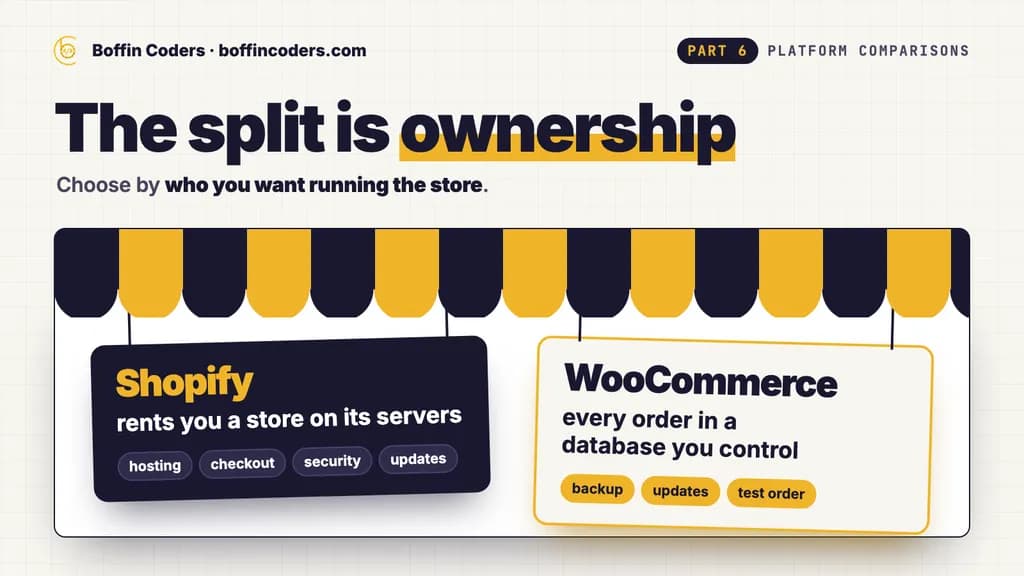
Choose Shopify when you want a store selling soon, with hosting, checkout, security and updates run for you for one monthly fee. Choose WooCommerce when the shop belongs inside a WordPress site you already own, has to sell in ways a hosted plan does not cover, or must keep every order in a database you control. Underneath, the split is ownership: Shopify rents you a store on its servers, while WooCommerce is free software that you install and look after yourself, or through your developer.
Both run serious online stores. Below are the costs side by side, what we found when we read both platforms' help pages on what leaves as a file, and a short way to decide.
What is the difference between Shopify and WooCommerce?
Shopify is a hosted commerce platform: the store, the checkout, the hosting and the payments sit in one account with one monthly bill. You pick a theme, add your products, and extend the store with apps from Shopify's app store. Shopify runs the servers and the software.
WooCommerce is a free, open source plugin that turns a WordPress site into a store. WordPress.org's plugin directory lists it with more than 7 million active installations, and version 11.2.1 came out on 9 October 2026. You install it on hosting you choose, and the products, orders and customers sit in your own database. WooCommerce's documentation says every new store since version 8.2 keeps its orders in dedicated tables of that database.
Is Shopify easier than WooCommerce?
For a first store, yes. There is no server to set up and no plugin to update, and the checkout works on the first day. WooCommerce asks for more decisions at the start: the host, the theme, the payment provider and the shipping settings. WooCommerce's server recommendations ask for PHP 8.3 or later, MySQL 8.0 or MariaDB 10.6, HTTPS and 256 MB of memory. Once a WooCommerce store is built well, adding a product or changing a price is just as easy as on Shopify.
Can you change how each one works?
On Shopify, you edit the theme and add features through apps from its app store, or through a custom app built on Shopify's APIs. You work inside what Shopify exposes. On WooCommerce, the whole codebase is open PHP, so a developer can change how the shop, the cart and the checkout behave, and WordPress plugins and WooCommerce extensions cover most of the rest.
How much do Shopify and WooCommerce cost?
On Shopify's pricing page as US visitors saw it on 21 October 2026, Basic is US$29 a month billed yearly, Grow US$89 and Advanced US$359. Billed monthly, the same plans cost US$39, US$105 and US$399. Plus starts at US$2,300 a month. The UK page shows Basic at £19, Grow at £49 and Advanced at £259 a month billed yearly, with Plus from £1,800. Other countries see their own prices on their own page.
Then come the fees on each sale. With Shopify Payments, US online card rates run from 2.9% + 30¢ on Basic down to 2.25% + 30¢ on Plus. If the store takes payments through another provider instead, Shopify adds its own fee on every sale: 2% on Basic, 1% on Grow, 0.6% on Advanced and 0.2% on Plus.
WooCommerce itself is free. You pay for hosting, a domain, any paid extensions the store needs, and someone's time for updates every month. WooPayments, WooCommerce's own payment service, has no setup or monthly fee: a US card payment costs 2.90% + US$0.30, and a UK card payment 1.50% + £0.25. The plugin takes no cut of any sale, whichever payment provider you choose.
The build is usually the larger cost on both. If you hire a developer through us, WordPress developers, who build WooCommerce stores, start from US$12 an hour, and Shopify developers from US$15 an hour.
Shopify | WooCommerce | |
|---|---|---|
The software | A hosted commerce platform | A free, open source WordPress plugin |
Cost to run | A monthly plan, from US$29 a month billed yearly in the US | Hosting, domain, paid extensions and update time |
Hosting and updates | Included, run by Shopify | Your host's job and yours |
Fee on each sale | Shopify Payments card rates, or an extra 2% to 0.2% with another provider | Your payment provider's fee only |
Adding features | Shopify apps, theme code and custom apps | Plugins, extensions and custom PHP |
Where the data lives | On Shopify, exported as CSV files | In your own database |
Can you take your store with you if you leave Shopify?
This is the question to settle before you build, because it decides what a future move costs. We read both platforms' own help pages on 22 October 2026 and checked four parts of a typical store.
Part of the store | Shopify | WooCommerce |
|---|---|---|
Products | A CSV file, without the images | A CSV file from the built-in exporter |
Product images | Not in the export: a new store fetches them only while the old one is still online | Already files in your own media library |
Customers | In your database, or a CSV file through a paid extension | |
Orders | A CSV file, with captured payments only | In your database, or a CSV file through a paid extension |
Everything on Shopify can leave as a spreadsheet, but the images need the old store to stay open until the new one has copied them, and Shopify's help center says the SEO title and description columns come out blank unless someone edited them by hand. Leaving Shopify means planning the order of the move: export, import, check the images, and only then close the old store.
On WooCommerce, leaving is a copy. The files and the database go to another host, and the store runs there as it did before. Exporting orders and customers as spreadsheets for a different platform takes a paid extension, but the data itself never depends on a plan you have to keep paying for.
Which is easier to keep secure and up to date?
Shopify, by design. The platform, the hosting, the checkout and the security patches are Shopify's job, and nothing on your side needs updating except the apps you add.
On WooCommerce, WordPress, WooCommerce, the theme and every extension need updates, and someone has to own them. A store also handles payments and customer details, so the updates matter more than on a brochure site. That workload is the price of owning the store outright. A WooCommerce store needs a monthly routine: a backup, the updates, then a test order through the checkout.
How do SEO and URLs compare?
Both let you set the title and meta description of every product and category page, edit the address of each product, and submit a sitemap to Google. Rankings come from the content, the speed of the pages and the links pointing to them, not from the platform's name.
The difference sits in the addresses. On Shopify, every product lives under /products/ and every category under /collections/. Shopify's help center says addresses on those fixed paths cannot be redirected, that a redirect works only from an address that no longer loads, and that a store can hold up to 100,000 redirects, or 20 million on Plus. A store moving to Shopify needs a 301 redirect for every old product and category address, ready on launch day. On WooCommerce, you choose the structure of the addresses in WordPress, and redirects come from a plugin or the server itself.
When is Shopify the better choice?
- A brand that wants to start selling soon, with no developer on hand.
- A team that would rather pay one monthly bill than manage hosting, updates and security.
- A store that sells physical products through a standard checkout and grows through Shopify's apps.
- A business that wants online and in-store sales in one system, with Shopify's point of sale.
When is WooCommerce the better choice?
- A business that already runs a WordPress site and wants the shop inside it, next to the blog and the content.
- A store that sells in ways a standard checkout does not cover, such as custom product builders, bookings or unusual pricing rules, and needs a developer to shape it.
- A business that wants every order and customer record in its own database, on a host it chooses.
- A store with thin margins, where a fee on every sale through the payment provider of its choice adds up.
Shopify vs WooCommerce: which should you choose?
Choose by who you want running the store. If you want to sell soon and hand the hosting, security and updates to the platform, Shopify does that for a monthly fee and its card rates. If the store is part of a WordPress site, needs custom behaviour, or has to keep its data on your own servers, WooCommerce gives you that ownership, and a monthly update routine is its cost.
Your store | Choose |
|---|---|
Selling soon, with no developer | Shopify |
A team that wants no hosting or updates to manage | Shopify |
Online and in-store sales in one system | Shopify |
A shop inside an existing WordPress site | WooCommerce |
Custom products, bookings or pricing rules | WooCommerce |
Orders and customer data on your own host | WooCommerce |
If you would rather have it built for you, you can hire Shopify developers for a store your team runs in Shopify's admin, or hire WordPress developers for a WooCommerce store you own outright, and interview each one before they start.
Keep reading
Santosh K Sharma
WordPress and Shopify Developer
Santosh K Sharma builds and maintains WordPress and Shopify sites, from theme and plugin work to store migrations and performance fixes. Santosh K Sharma writes about keeping client sites fast, current and easy to manage.
Frequently asked questions
Shopify is not better in every case. It suits stores that want to start selling soon, with hosting, checkout, security and updates run by the platform for a monthly fee. WooCommerce suits stores inside a WordPress site, stores that need custom behaviour, and owners who want every order in their own database. Both can run a fast store with good SEO.
Not answered here?
Need this built?
We build websites and apps for businesses, and work behind digital agencies as their development team. Tell us where things stand on a 20-minute call.