How Do You Outsource App Development for Agency Clients?
- November 9, 2026
- 8 min read

Co-Founder, Boffin Coders
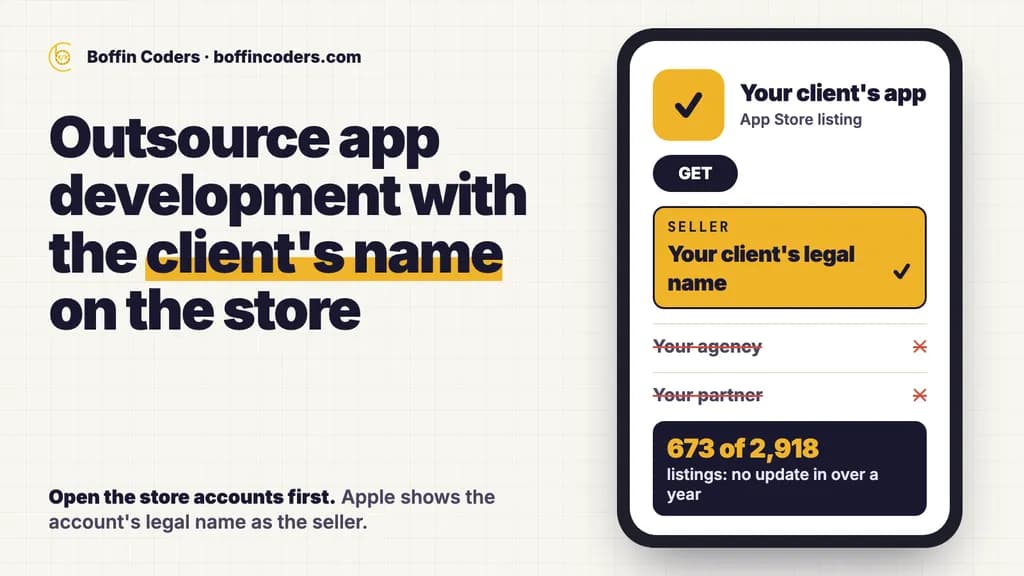
To outsource app development for an agency client, open the store accounts in the client's own name before any code is written, then let a partner build inside those accounts while you keep the client relationship. Apps differ from websites here, because Apple shows the organisation behind the account as the seller on every listing. The second decision is who pays after launch. We read 2,918 business app listings on 6 November 2026, and 673 had not been updated in over a year.
We also opened the seven guides we could read in the top 12 US results for this phrase. None mentions white-label work or reselling, and only one mentions store developer accounts. An agency has to plan for both.
How do you outsource app development for an agency client?
You outsource app development for a client by agreeing three things before the first sprint: what the client owns, what you manage and what your partner builds. Moving an app between accounts later takes more work than setting it up correctly once.
This table shows who should hold what:
Item | Who holds it | Why |
|---|---|---|
Apple Developer account | The client | Its legal name shows as the seller |
Google Play developer account | The client | Users, ratings and reviews sit with the account |
Code repository | You or the client | The app has to outlive any partner |
App signing key on Android | Google, through Play App Signing | A key you manage yourself cannot be reset if lost |
Upload key on Android | Your partner, under your rules | Google can reset it if it is lost |
Push, analytics and crash tools | The client | They hold data about the client's users |
Client calls and approvals | You | Your partner works behind your brand |
Much of this matches the split in our guide to how to outsource web development for agencies. The stores add the parts below, and they are the parts most likely to surprise you late in a project.
Whose name goes on the App Store listing?
The client's legal name goes on the App Store listing when the app sits in the client's own account. Apple's enrolment page says an organisation's name is displayed as the seller name of its apps, and it refuses trade names, DBAs and branches. So a listing built in your partner's account shows your partner's name to anyone who opens it. A listing in your own account shows your agency.
For white-label work, that settles the question. Your client's customers should see your client, and your client should never see your partner. We submit from the client's own Google Play and App Store accounts, under the client's name.
Neither store needs anyone to share a password. In Play Console, the account owner or an admin adds users and grants access to the whole account or to specific apps. Apple's program roles work in a similar way, with one duty that stays with the client. Only the Account Holder can accept updated agreements, and until they do, the team can lose full access to App Store Connect. Ask your client to name that person on day one, because a missed email can hold up a release.
Can you resell one app to many clients?
One template app resold as separate copies is likely to be rejected on the App Store. Apple's guideline 4.2.6 says apps made from a commercialised template or app generation service will be rejected unless the provider of the app's content submits them directly. It adds that such services should not submit apps on behalf of their clients.
The guideline offers another route: one app that holds every client as a separate entry, such as a restaurant finder. If you plan to sell the same booking app to ten dentists, read that guideline before you price it. Custom apps built for one client's business sit outside this problem.
How long do store accounts take to set up?
Store accounts can take a month to set up, mostly because of one number. Both stores ask an organisation for a D-U-N-S number, and Google's account help says getting one can take up to 30 days. It is free from Dun & Bradstreet, so a client should never pay a third party for it.
This table compares the two stores:
Requirement | Apple App Store | Google Play |
|---|---|---|
Fee | US$99 a membership year | US$25 registration fee |
Company number | D-U-N-S number | D-U-N-S number |
Other checks | Legal entity, public website on its own domain, work email on that domain, a signer with legal authority | Organisation name, address, phone and website, plus a verified payments profile |
The trap for agencies is the shortcut. A client who opens a personal Google account to save time picks up Google's testing rule: personal accounts created after 13 November 2023 must run a closed test with at least 12 testers, opted in for 14 days in a row, before they can apply for production access. Put the D-U-N-S request in your first email to the client, and give no launch date until both accounts are open.
What happens to an app after launch?
After launch, an app keeps needing paid work, so somebody must own that line in the contract. On 6 November 2026 we ran 12 local business searches, such as dentist, plumber, accountant, veterinary clinic and gym, in the US, UK, Canadian and Australian App Stores, through Apple's public search. We left out games and other unrelated types, which gave 2,918 listings, and read when each was last updated.
This table shows what we found:
Last updated | Listings | Share |
|---|---|---|
More than 1 year ago | 673 | 23% |
More than 2 years ago | 462 | 16% |
More than 3 years ago | 290 | 10% |
More than 5 years ago | 129 | 4% |
The share varied by trade. Of the listings a veterinary clinic search returned, 44% had gone over a year without an update, against 36% for hair salons and 13% for gyms. Not every listing came from an agency, and an old app can still work. Even so, a year without an update usually means nobody holds the upkeep.
Both stores push back on neglect. Apple's App Store Improvements page says an app with no update in three years and almost no downloads can be flagged for removal, and the developer then gets 90 days to submit an update. Google Play's target API rule moves every year. Since 31 August 2026, new apps and updates must target Android 16, and existing apps below Android 15 stop reaching new users on newer devices.
So quote upkeep with the build, as its own monthly line. When a neglected app drops out of a store, the complaint comes to you, because your client only knows your name. Our guide to mobile app maintenance services lists what that line should hold.
What if the app already sits in the wrong account?
If the app sits in the wrong account, both stores let you transfer it. Google Play moves the app's users, download statistics, ratings, reviews, content ratings and store listing to the new account. Earnings and bulk reports stay behind, so download them first. Both accounts must be active.
Apple's transfer criteria ask for at least one released version, and both sides must have accepted the latest agreements. An app that shares In-App Purchase product IDs with one in the recipient's account cannot move until that clash is fixed. Check the full list before you promise a date, and budget the time. If the client has no accounts yet, open them first, because a transfer needs both sides ready.
How much does it cost to outsource app development?
Outsourcing app development costs your partner's hours at its rate, with your margin on top. The saving is the hire you do not make: a partner bills for the sprints you need, and a mobile developer on your payroll draws a salary through the quiet months too.
Our published first step for agencies is a two-week sprint at US$2,000, invoiced after you see the work. Mobile work by the hour runs at US$20-38. For whole-app budgets, our guide to app development cost shows why first-page ranges run so wide, and which questions narrow them.
What should you ask a partner before you hand over an app?
Ask a partner the questions that show how they work when something goes wrong. These five cover most of the risk:
- Ask whose accounts they submit from. The answer should be your client's, with invited access and no shared passwords.
- Ask where the code lives. It should sit in a repository you or your client control from the first commit.
- Ask who handles a store rejection. Find out who fixes it, who resubmits it and whether that sits inside the sprint.
- Ask what they do about your client. The answer should be no direct contact, and a mutual non-circumvention clause in writing before you share a name.
- Ask to see a working build first. A TestFlight or closed test build on a real phone tells you more than a status report. Pick the stack on the same evidence, using our comparison of Flutter and React Native.
You see the work before any invoice. If you would rather hand this over, our white label mobile app development runs inside your client's own accounts, under your brand.
Keep reading
Jyoti
Co-Founder, Boffin Coders
Jyoti co-founded Boffin Coders and looks after client relationships and how projects run from first call to handover. Jyoti writes about hiring, process and what makes a development partnership work.
Frequently asked questions
An app should sit in the client's developer account, not the agency's. Apple shows the account's legal name as the seller on the listing, and Google Play keeps users, ratings and reviews with the account. If the client leaves you, the app can stay with them without a transfer. You and your partner join as invited users with the access you need.
Not answered here?
Need this built?
We build websites and apps for businesses, and work behind digital agencies as their development team. Tell us where things stand on a 20-minute call.